
Incident Response Platforms and Tools: A Complete Guide
Incident response platforms and tools are purpose-built systems that help teams move from chaos to control the moment something goes wrong: detecting, containing, and recovering from disruptive events.

No organization is immune
No organization is immune to disruption. Breaches, outages, workplace incidents, and product recalls are not a matter of if, but when.
From good intentions to a structured response
Whatever form it takes, organizations need more than good intentions in the moment. They need a structured, tool-supported approach to detecting, containing, and recovering from disruptive events. This is where incident response (IR) platforms and tools come in.
The basics
1. What Are Incident Response Platforms?
An incident response platform is a centralized system that helps a team detect, investigate, coordinate, and remediate an incident, most commonly a cybersecurity incident, though the same category of tool exists for IT outages, physical security events, and beyond. Rather than juggling spreadsheets, email threads, and disconnected point tools, IR platforms bring alerting, case management, evidence collection, and remediation workflows into a single operational hub.
At their core, these platforms exist to compress two critical metrics: mean time to detect (MTTD) and mean time to respond (MTTR). The longer an attacker dwells inside a network undetected, the more damage they can do, so every minute saved in detection and response has direct financial and reputational value.
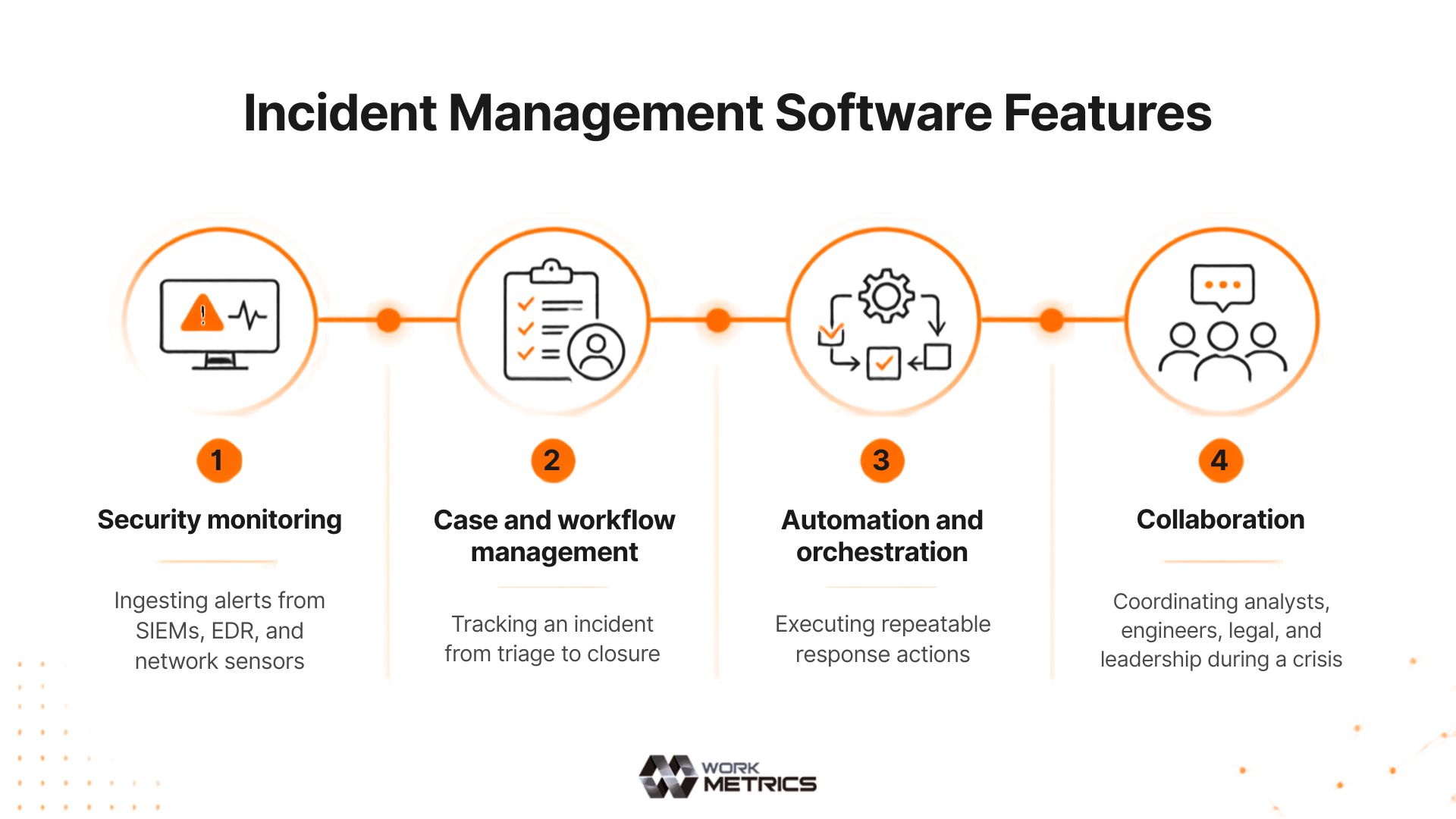
Modern IR platforms typically sit at the intersection of several disciplines:
Ingesting alerts from SIEMs, EDR, and network sensors.
Tracking an incident from triage to closure.
Executing repeatable response actions.
Coordinating analysts, engineers, legal, and leadership during a crisis.
Beyond cybersecurity
2. Incident Response Beyond Cybersecurity
The core loop of incident response (detect, coordinate, contain, learn) shows up across many domains, but the tools, data sources, and stakes differ a lot from one to the next.
Responding to breaches, malware, ransomware, and data exfiltration. This is the most tool-heavy version of IR because nearly everything relevant lives in logs, endpoints, and network traffic, which is why it dominates the rest of this guide.
Service outages, performance degradation, and infrastructure failures. Tools like PagerDuty, Opsgenie, and Atlassian's incident management products overlap heavily with cybersecurity IR tooling (on-call scheduling, status pages, postmortems) but are oriented around “the checkout page is down” rather than “an attacker has account access.”
Injuries, break-ins, and on-site threats. These platforms lean on mass notification systems, visitor management logs, and incident reporting apps used in hospitals, schools, retail, and manufacturing.
PR fallout, product recalls, executive misconduct. The “platform” here is often more about communications and approval workflows, such as stakeholder notification, media monitoring, and legal sign-off, than technical remediation.
Natural disasters and mass-casualty events, coordinated through dedicated Emergency Operations Center (EOC) software. It shares DNA with cyber IR tools (case management, timelines, resource tracking) but is built for a very different threat model and often a much larger set of responding organizations.
Equipment failures and safety incidents in plants, utilities, and energy infrastructure, increasingly overlapping with cybersecurity when a cyberattack causes physical disruption (for example, a pipeline shutdown).
What to look for
3. Core Capabilities of a Modern IR Platform
Not all IR tools are created equal, but the strongest platforms share a common set of capabilities. Tap one to see what it covers.
Pulling signals from SIEM, EDR, cloud logs, and threat intelligence feeds into one triage queue, reducing alert fatigue and tool-switching.
Structured incident records with timelines, assigned owners, severity classification, and audit-ready documentation.
Predefined, repeatable response procedures for common incident types (phishing, ransomware, data exfiltration) that reduce reliance on tribal knowledge.
Automatically isolating endpoints, disabling compromised accounts, or blocking malicious IPs without waiting on manual steps.
Capturing memory dumps, disk images, and log artifacts in a way that preserves chain of custody.
War-room style chat, status pages, and stakeholder notification templates to keep everyone aligned during high-pressure events.
Automatically generated timelines and root-cause summaries that feed into lessons-learned reviews and compliance reporting.
The tool landscape
4. Categories of Incident Response Tools
The IR tooling landscape is broad, and most mature security programs stitch together several categories rather than relying on a single product.
Security Information and Event Management. Aggregates and correlates log data to surface potential incidents, such as detecting anomalous login patterns across systems.
Security Orchestration, Automation, and Response. Automates repetitive response tasks and orchestrates multi-tool workflows, such as auto-quarantining a device flagged by EDR.
Endpoint and Extended Detection and Response. Monitors endpoints (and beyond) for malicious behavior, enabling containment, such as killing a malicious process and isolating a host.
Tracks the lifecycle of an incident from creation to closure, such as assigning tasks, tracking SLAs, and documenting evidence.
Enriches incidents with context about known threat actors and indicators, such as confirming whether an IP is part of a known botnet.
Enables deep investigation into compromised systems, such as recovering deleted files or analyzing malware samples.
Coordinates internal and external communication during an incident, such as notifying executives, legal, and customers per policy.
Getting it right
5. Best Practices for Choosing and Implementing IR Tools
Picking IR tools isn't just about picking software, it's about picking the right process too. A few things separate programs that actually work from ones that struggle.
Decide how you want to respond to incidents before buying anything, using a known framework as a starting point. Let the tools support your plan, not shape it.
A tool that connects easily with your existing systems is usually more useful than one packed with extra features that don't talk to anything else.
Write down your response steps by hand first. Once they're solid, automate the easy, low-risk ones.
Tools that look great in a demo can fall short in a real incident. Run practice scenarios to find the gaps early.
As your team gets bigger, make sure multiple people can work incidents at once, with the right access and a clear record of who did what.
Explore our Incident Management Platform
Bring alerting, case management, playbooks, and post-incident reporting into one operational hub.