How Do You Write a Hazard Report
Describe the hazard clearly. Show where it is. Give your team the information they need to act.
A hazard report is a written record of a condition, activity or source that could cause harm. It documents what has been identified, where it is located, who may be affected and what response or assessment is needed.
A useful report can include written descriptions, photographs, diagrams and annotations that workers and reviewers can understand. Once submitted, it is directed to the appropriate supervisor or safety team for review and follow-up.

Nine elements of a useful report
Elements of a Hazard Report
When writing a hazard report form, include enough relevant information to make the observation clear and accurate. Specific locations, measurements, dates and times can help the reviewer understand the condition. Photographs or diagrams can support the description and show details that are difficult to explain in words alone.
Include appropriate contact information for the reporter and anyone whose observations may help with follow-up. Clear communication allows the reviewer to clarify details and inform the affected team about actions or changes to work arrangements.
A hazard report may follow an incident report when an investigation identifies a contributing hazard. It can also stand alone: an injury or accident does not have to happen before a hazard is reported. Employees, supervisors and managers can all contribute observations, with assessment and action assigned through the organization’s process.
Automated form number
Give each hazard report a unique reference number so it can be identified among other records. A consistent identifier makes it easier to find the report in a database or registry and connect it to photographs, assessment notes and corrective actions.
Location of hazard
Record the site, department, area and exact workstation or equipment involved. Hazards in different parts of a construction site or facility may involve different tools and tasks. A precise location helps the reviewer find the condition without having to guess.
Date hazard identified
Record the date and, where relevant, the time the condition was observed. Document it promptly while the details are clear. If the condition changes or is observed again, keep that follow-up information with the original report.
Brief description
Describe the condition clearly so the person assessing it understands what was seen and who may be exposed. Useful examples include a hanging cable at workstation No. 067, a slippery floor in office No. R564 or visible cracks in a production-area wall.
Witnesses
Include relevant observations from people who saw the condition or a related occurrence. Record appropriate contact details when follow-up is needed. A hazard can still be reported when there are no witnesses or when no incident has happened.
People affected and department
Identify the roles, work groups or departments that may be exposed. Where an incident has already occurred, link the relevant incident record and include personal details only where necessary and appropriate for the reporting process.
Risk level
Use your organization’s approved assessment method to consider potential consequences and likelihood. Record the rating, assessment context and reviewer. Numeric bands differ between systems; do not treat one set of scores as a universal standard.
Photos of the hazard
Add photographs, diagrams or annotations when they can help explain the condition. Include a useful description, location and capture date or time where available. Collect evidence only when it can be done safely, and keep it linked to the report.
Actions taken or recommended
Record any immediate response, proposed measures and the person responsible for follow-up. When work is completed, document the completion date, supporting evidence and review outcome. Communicate relevant changes to the people affected.
Capture concerns before they become incidents
Why record Hazard Report's in the workplace?
Hazard management involves identifying conditions that could cause harm, assessing the associated risks and selecting appropriate controls. Reporting provides a way to bring those conditions to attention and create a record that can be reviewed and followed up.
Recording a hazard helps the organization understand its location, the work activities involved and the people who may be exposed. This information supports decisions about the response needed and helps relevant workers understand changes that affect their tasks.
An effective process also includes monitoring and review. After measures are implemented, check that they address the identified problem and remain suitable as equipment, work practices or site conditions change.
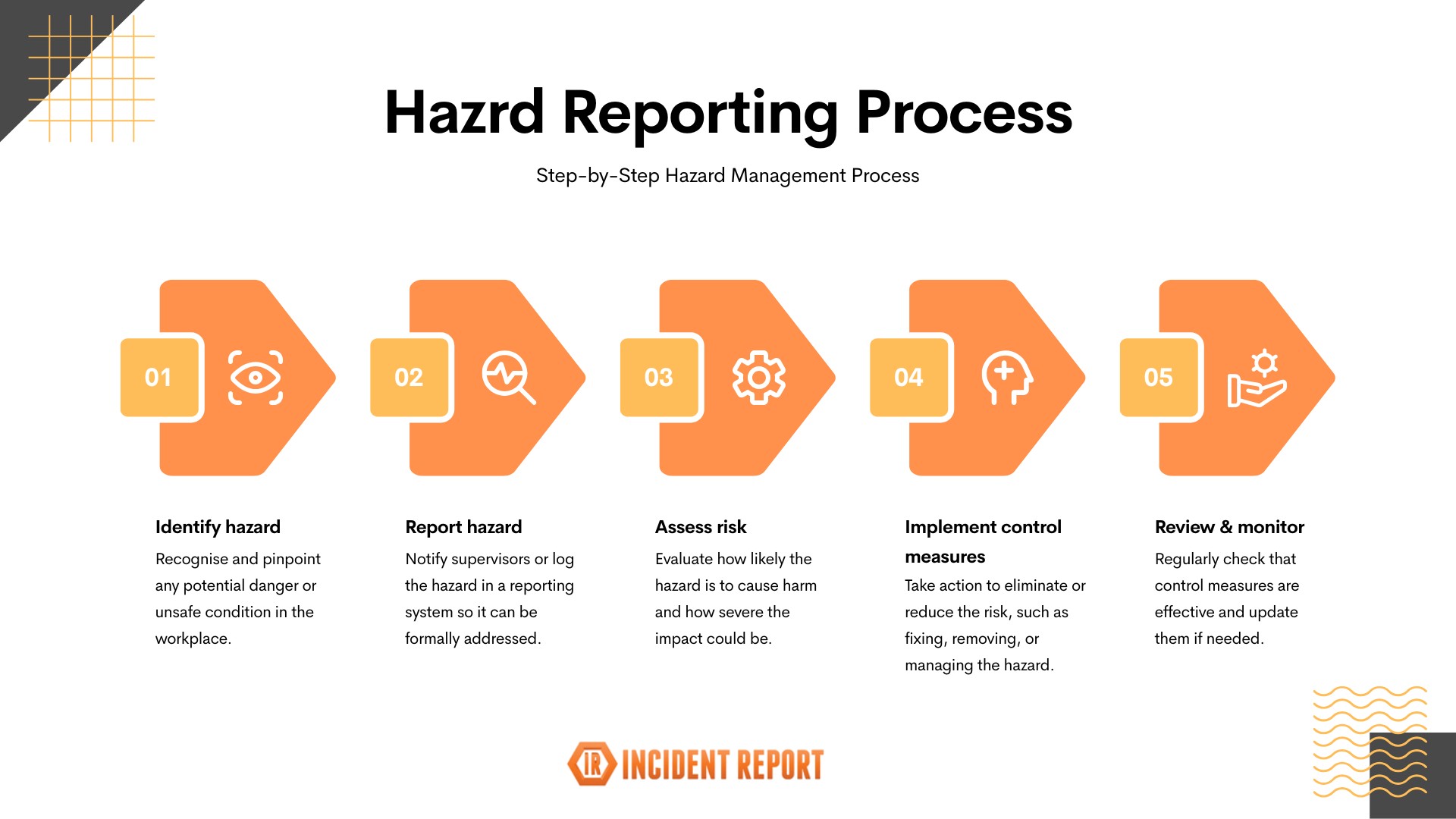
Setting up a hazard reporting system gives staff a consistent place to record concerns and helps safety teams organize the response. It supports efforts to prevent accidents and injuries by making hazards visible and linking them to action, rather than relying on a verbal observation being remembered.
Build a connected reporting process
5 Example Hazard Reporting areas
Hazard reporting can connect several parts of your safety program. These five areas provide ways to capture observations, structure inspections and share information about the hazards relevant to your workplace.
Capture concerns about work-related psychosocial hazards and provide a route for review and follow-up.
Explore this area Hazard IdentificationCreate a consistent approach to recognizing and recording hazards across work areas and activities.
Explore this area Hazard Inspection ChecklistUse a structured inspection process to prompt observations and document the conditions found.
Explore this area Hazard Report FormCapture the details of a specific hazard, supporting evidence and the information needed for assessment.
Explore this area Hazard AwarenessHelp workers understand identified hazards and the workplace arrangements relevant to their tasks.
Explore this areaMake descriptions specific and useful
Examples of hazards in the workplace that you might complete a Hazard Report for
The hazards found in a workplace depend on its activities, equipment and environment. Describe the actual condition and the potential exposure rather than recording a broad label alone. Examples from your workplace may include the following.
Exposed electrical wiring
Identify the exact outlet, cable or equipment and describe the visible damage. Provide a location that helps the responsible team find and assess the condition.
Cracks or building damage
Record the location of cracks in walls or other visible building damage. Add the observation date and relevant context for review by the appropriate person.
Dust or chemical exposure
Describe the task, area and material involved when known. Record visible dust, damaged containers, leaks or other observations without guessing the substance or exposure level.
Broken equipment
Include an asset reference and explain the observed fault or damage. Identify the work activity and people who may encounter the equipment.
Violence or security concerns
Record conditions or concerns involving threats, assault or security risks through the appropriate workplace process. An event that has already occurred may also require a linked incident report.
Conditions that may cause illness
Report suspected harmful conditions or exposures with the facts available. An illness that has occurred may also need a separate illness or incident record.
Good practices when completing a hazard report
Make reporting available to workers and route assessment, approval and closure to the appropriate people. Follow the organization’s procedures and applicable requirements for the situation.
- Be factual. Support the description with observations and relevant evidence; distinguish facts from assumptions.
- Report promptly. Follow the urgency and timeframes in your process. Escalate immediate danger through the appropriate emergency or safety channel.
- Check the details. Proofread the location, dates, asset references and description so the reviewer can understand the report.
- Handle information appropriately. Limit personal information to what is needed and restrict access according to responsibilities.
- Attach useful evidence. Include photos, sketches or documents when they can be collected safely and help explain the condition.
- Record review and sign-off. Identify who assessed the report, what was agreed and who verified the follow-up.
Turn concerns into visible follow-up
Why is a Hazard Report important?
A hazard report gives employees a way to bring concerns to attention and supports the organization’s efforts to protect worker well-being. People should be able to raise observations without intimidation, and understand how the information will be reviewed.
Hazards can disrupt work as well as put people at risk. A clear record helps managers understand a particular condition or activity, decide what further assessment is needed and consider suitable controls before work continues or begins under the relevant process.
Reports also provide information that can be reviewed over time. Repeated observations in the same area, similar equipment faults or recurring conditions may point to a wider issue that needs attention.
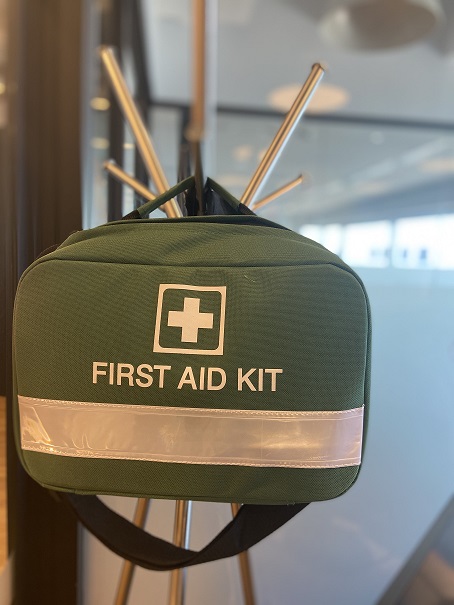
The value of reporting comes from what happens next. Keep people informed about relevant actions, review whether those actions address the concern and update work arrangements when needed. An accessible process helps workers contribute information before a potential hazard results in an incident.
One place to see what needs attention
Setting up a Hazard Reporting registry
A hazard reporting registry brings records together across departments, sites or a wider organization. Instead of leaving observations in separate emails or paperwork, teams can track where a hazard was identified, who is reviewing it and what follow-up remains outstanding.
A useful registry records the hazard reference, location, assessment status, action owner and relevant dates. Keeping this information organized helps teams prioritize reviews, coordinate responses and find the supporting evidence behind a record.
For organizations operating across multiple locations, a shared digital approach can make coordination easier. Access permissions, consistent field definitions and agreed reporting procedures help teams interpret the information and communicate changes to the people affected.
Select a numbered location to open its sample record. The illustration is a conceptual site map.
HZ-2041 · Workshop
Damaged electrical cable
A cable with visible outer-sheath damage is observed beside the workshop bench.
- Location
- Workshop · Bay 02
- Assigned to
- Maintenance team
- Status
- Reported · awaiting review
- Next step
- Review the report and arrange assessment.
A location-based registry can also connect reports to a site map or digital twin, making it easier to see where hazards have been identified. Selecting a location can reveal its report, supporting information and follow-up status. The example above illustrates that connection without representing a live workplace.
Visible follow-up can help build trust with workers by showing how concerns are being managed. Keep the registry current, record completed actions and share relevant outcomes. The goal is an organized process that reduces confusion and supports informed decisions across the organization.
Connect locations and reports
Use consistent site, department and asset references to connect each record to the place or activity involved.
Make ownership visible
Record the person or team responsible for assessment, actions and follow-up so reports have a clear next step.
Keep the review history
Retain relevant findings, action evidence and review outcomes so the response can be understood later.
Build a process your team can use
Create your own Hazard Report Form and Registry
Try our hazard form builder to create your own online hazard report form process and registry. Capture the details relevant to your workplace and organize submitted reports for review and follow-up.